Getting Started
A Stream Deck profile is a pre-configured layout of actions and functions designed around a specific software, tool, or game. Profiles can be shared with other users via the Elgato Marketplace, allowing them to skip the setup process and get straight to work with a ready-made configuration.
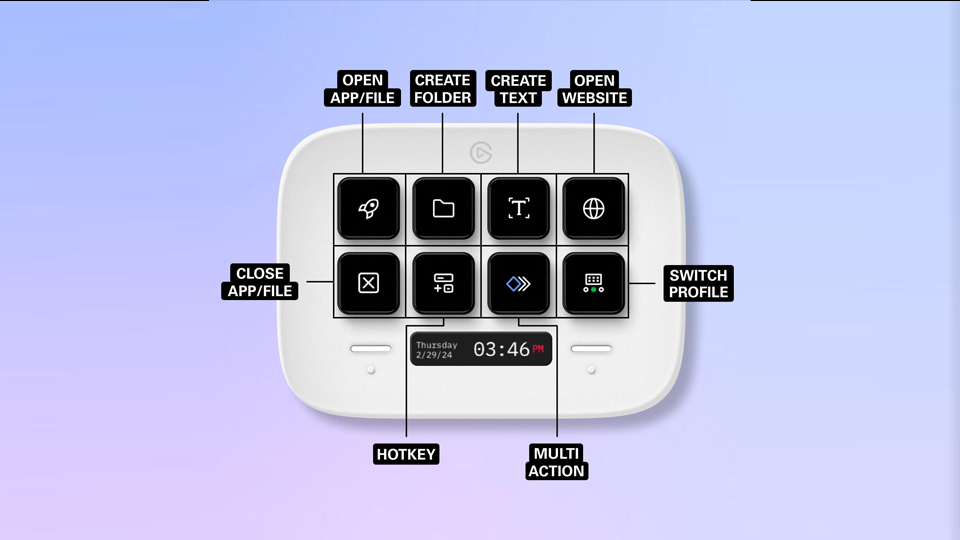
A Stream Deck profile can be configured with a wide range of actions, including hotkeys, multi-action keys, dial actions, text actions, and plugin actions. Profiles can also incorporate page navigation, folders, and organizational structure to keep your layout clean and intuitive.
What can profiles do?
Customize and share Stream Deck actions
Control games, home automation, hardware, software, audio setups, and more
Save time with ready to use pre-configured actions and functions
Map keys to match your preferred software hotkeys and shortcuts
Control plugin actions directly from your Stream Deck keys and dials
Share expert workflows and help other users get the most out of their Stream Deck
Devices and operating systems
Profiles are specific to both operating system (macOS, Windows) and Stream Deck device type. It is important to clearly label and market your profile for the correct platform and hardware to ensure users have a compatible setup before downloading.
Device types
Device Model | Keys | Key Layout | Dial Support | # of Dials |
|---|---|---|---|---|
Stream Deck | 15 | 3 x 5 | No | - |
Stream Deck Mini | 6 | 2 x 3 | No | - |
Stream Deck Neo | 8 | 2 x 4 | No | - |
Stream Deck + | 8 | 2 x 4 | Yes | 4 |
Galleon 100 SD | 12 | 3 x 4 | Yes | 2 |
Stream Deck XL | 32 | 4 x 8 | No | - |
Stream Deck + XL | 38 | 4 x 9 | Yes | 6 |
Additional devices with profile support
Device Model | Keys |
|---|---|
Stream Deck Pedal | 3 |
Corsair Scimitar Elite | 12 (G Keys) |
Corsair K100 | 1 (G Keys) |
The Stream Deck Studio runs on Companion and does not currently support Stream Deck app profiles.
Featuring plugin actions
You are allowed to feature plugins created by other Makers in your profile. However, please note that if any changes or updates happen to these plugins (such as a price change, publishing change, or deprecation) it will affect the customers of your profile. The responsibility is on both Makers to come to an agreement when using plugins or icon packs featured in their profile.
Profile limitations
Stream Deck profiles are versatile and highly customizable, catering to a broad range of users and use cases. However, there are a few limitations to be aware of:
Compatibility: Profiles may not work correctly when shared with users on different platforms or software versions. This is most common when a profile uses plugins or integrations that are platform-specific or version-dependent.
Hardware Differences: Different Stream Deck models have different numbers of keys and inputs, and profiles do not auto-scale when imported to a smaller device. A profile created on a larger model may have layout issues or functionality gaps when used on a smaller one. Dial actions are only available on compatible devices.
No Automatic Updates: Profiles do not auto-update on a user's device when a Maker releases a new version. Users will need to manually re-download and set up the updated profile.
Third-Party Updates: If a software or service integrated into a profile undergoes a significant update, elements of the profile may stop working as intended until the Maker releases an update. Profiles do not dynamically reflect third-party changes.
Plugins: Plugins used within a Profile are not transferred when the profile is shared. Users will need to download any required plugins separately. Once installed, the profile will function as intended. Note that if a plugin changes price, becomes deprecated, or is unpublished, it will affect users of that profile.
User Environment: Makers cannot always account for the environment in which their profile will be used. External factors such as firewall settings, system permissions, or other installed software may affect the performance and functionality of a profile.